AxisClient & AxisLauncher

Minecraft, on your axis.

A client packed with PvP tools and HUD modules, a locker full of cosmetics, and a launcher that keeps your instances, mods, servers and friends in one place.

Plays Minecraft 1.21.11, 26.1, 26.2 and 26.3.
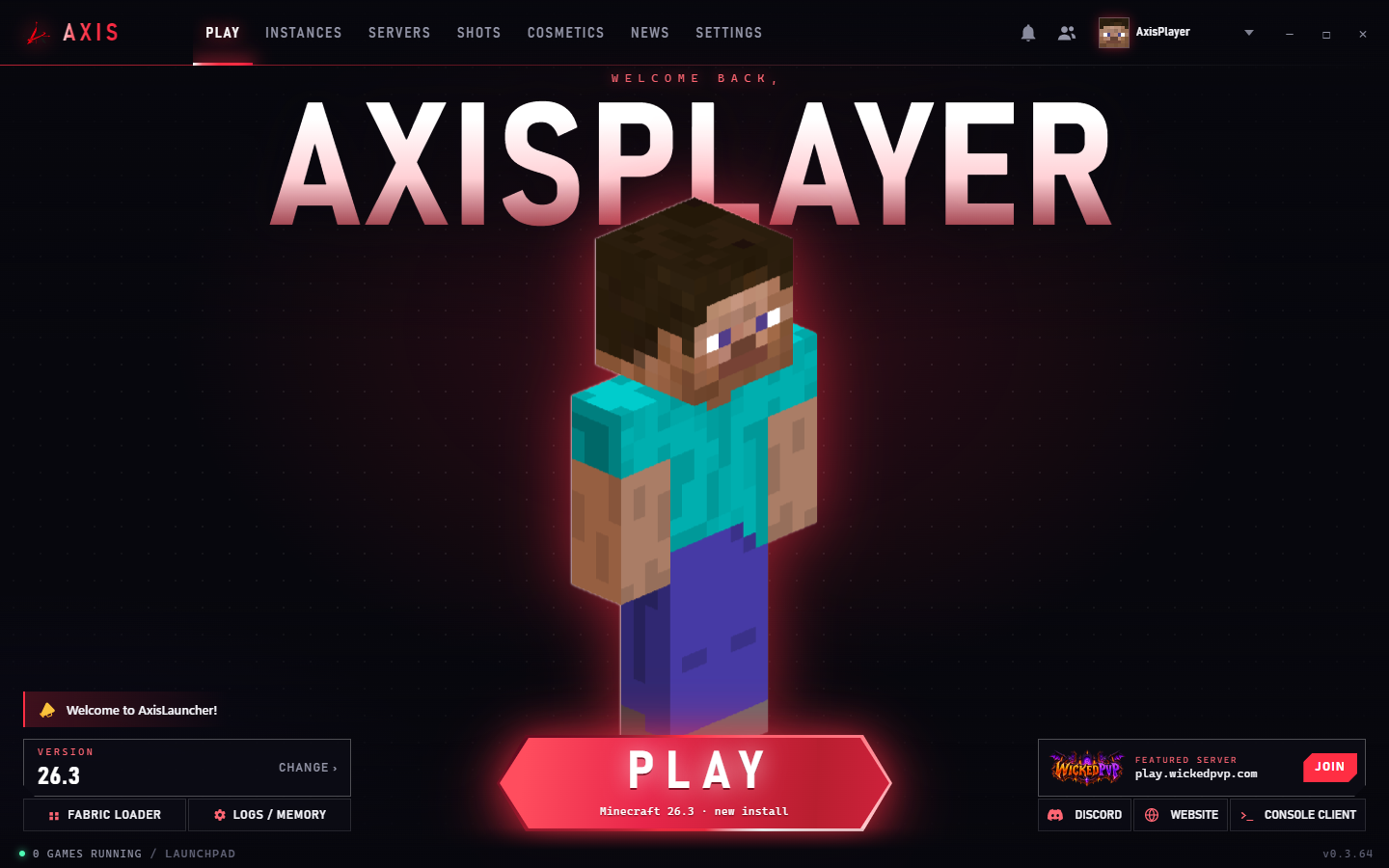
The AxisLauncher launchpad with version picker and Play button.
50+Client modules
94Cosmetics
4Minecraft versions
1Launcher for it all

AxisClient

Every module you reach for.

Turn on what you want, drag your HUD where you want it, and save the setup as a profile. Share it on the Profile Marketplace, or grab someone else's.
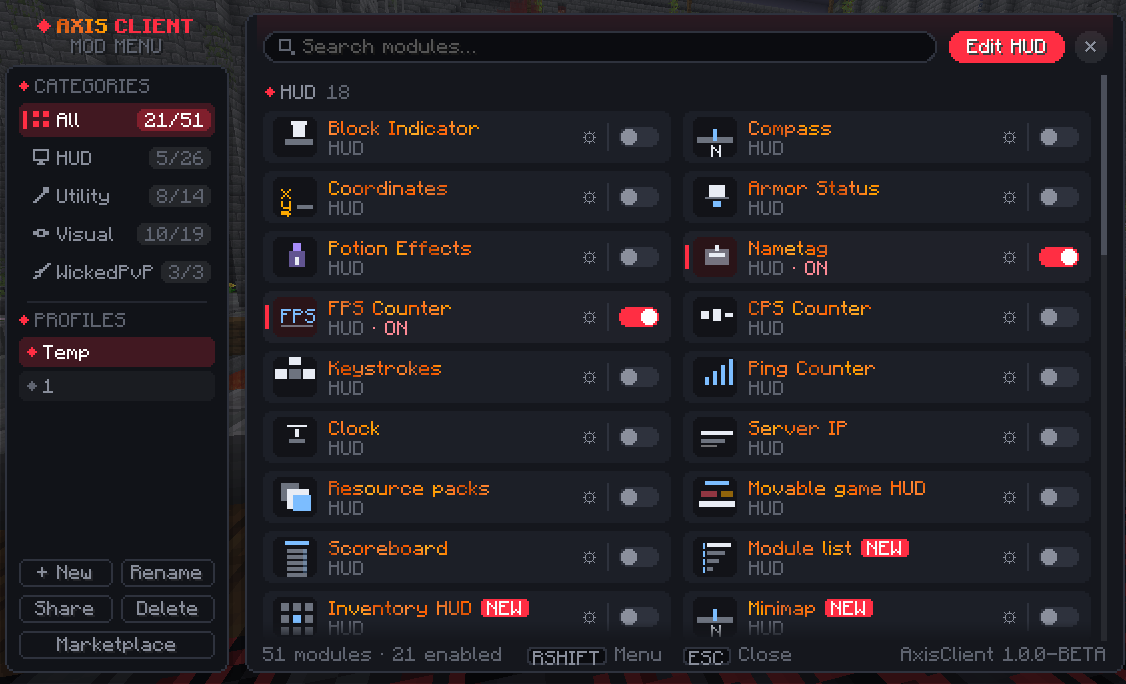
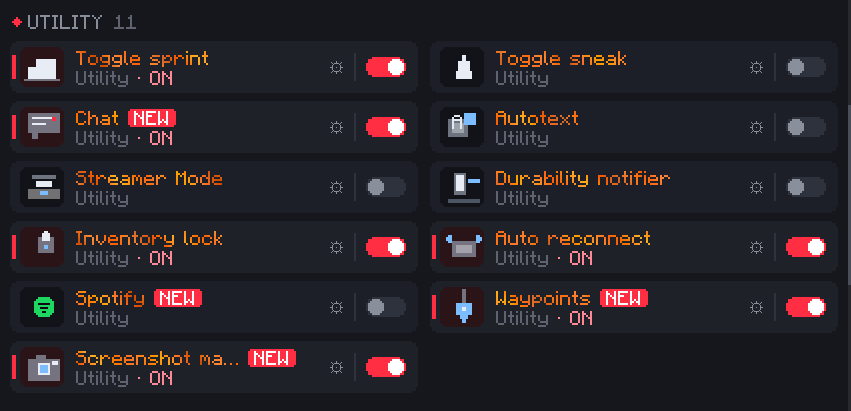
The AxisClient mod menu, opened with Right Shift, with categories, profiles and module toggles.
Utility modules including Toggle sprint, Chat, Spotify and Waypoints.
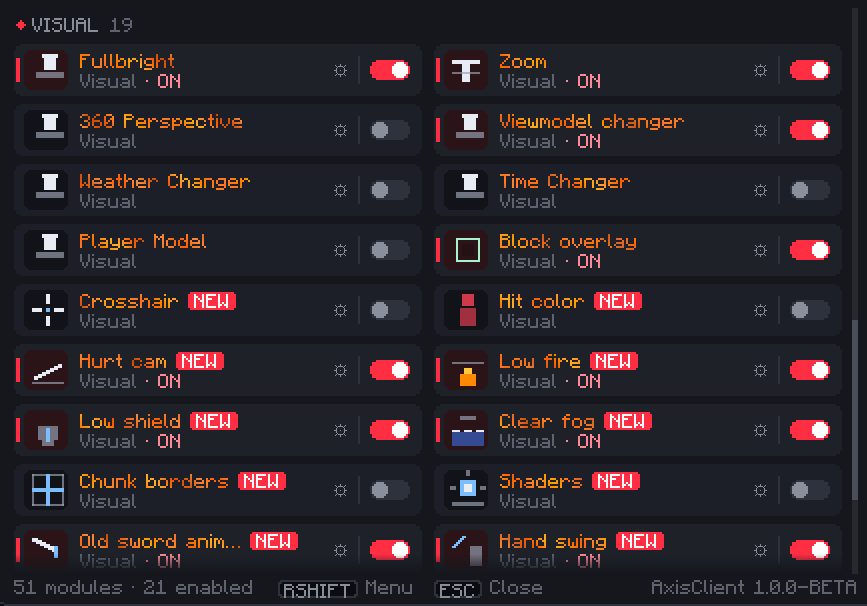
Visual modules including Zoom, Crosshair, Hurt cam and Shaders.

Your HUD

Move every element where you want it.

  • Keystrokes
  • CPS
  • FPS
  • Ping
  • Armor
  • Potions
  • Coordinates
  • Compass
  • Clock
  • Server IP
  • Scoreboard
  • Inventory HUD
  • Module list
  • Minimap

PvP & visuals

Make fights easier to read.

  • Custom crosshair
  • Hit color
  • Hurt cam
  • Low fire
  • Low shield
  • Old animations
  • Hand swing
  • Viewmodel changer
  • Block overlay
  • Shaders

Quality of life

The small things, already done.

  • Toggle sprint
  • Toggle sneak
  • Zoom
  • 360 perspective
  • Fullbright
  • Clear fog
  • Chunk borders
  • Waypoints
  • Slot lock
  • Durability notifier
  • Auto reconnect

World

Your screen, your weather.

  • Time changer
  • Weather changer
  • Fluid colors

Chat & social

Stay in touch without alt-tabbing.

  • Chat tabs
  • Autotext
  • Ctrl-click copy
  • Streamer mode
  • Friends
  • Mailbox
  • Emote wheel
  • Spotify

Profiles

One setup per playstyle.

  • Mod profiles
  • Profile Marketplace
  • In-game mod store
  • In-game screenshots

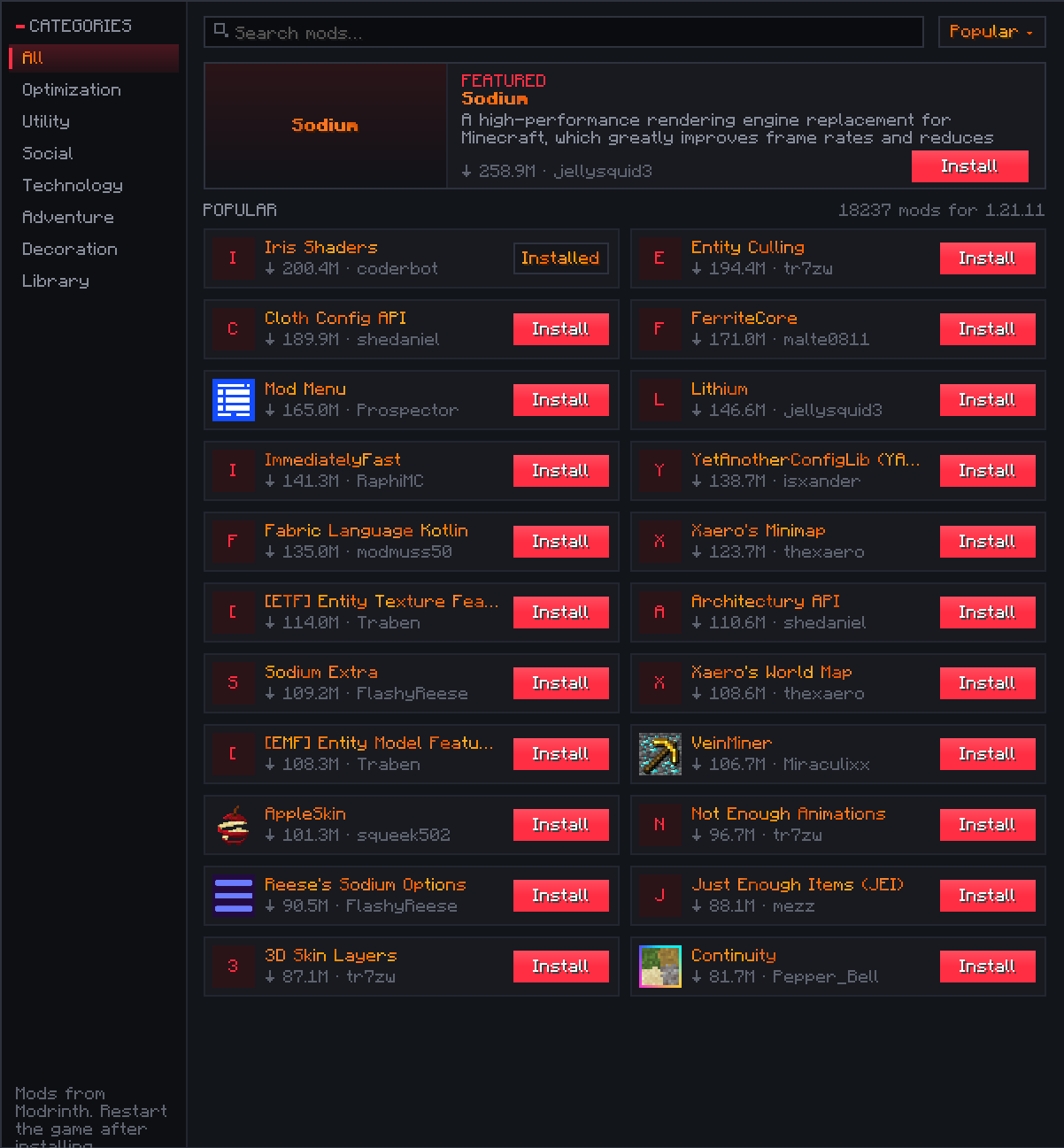
A mod store inside the game

  • Browse Modrinth without leaving Minecraft
  • Search and filter by category
  • Install with one click, then restart the game
The in-game mod store listing popular Modrinth mods with Install buttons.

Axis Locker

Dress for the lobby.

Capes, wings, hats, backpacks, shoes, titles, particle effects, chibis and emotes, some of them animated. Preview them on your character and save whole looks as sets.
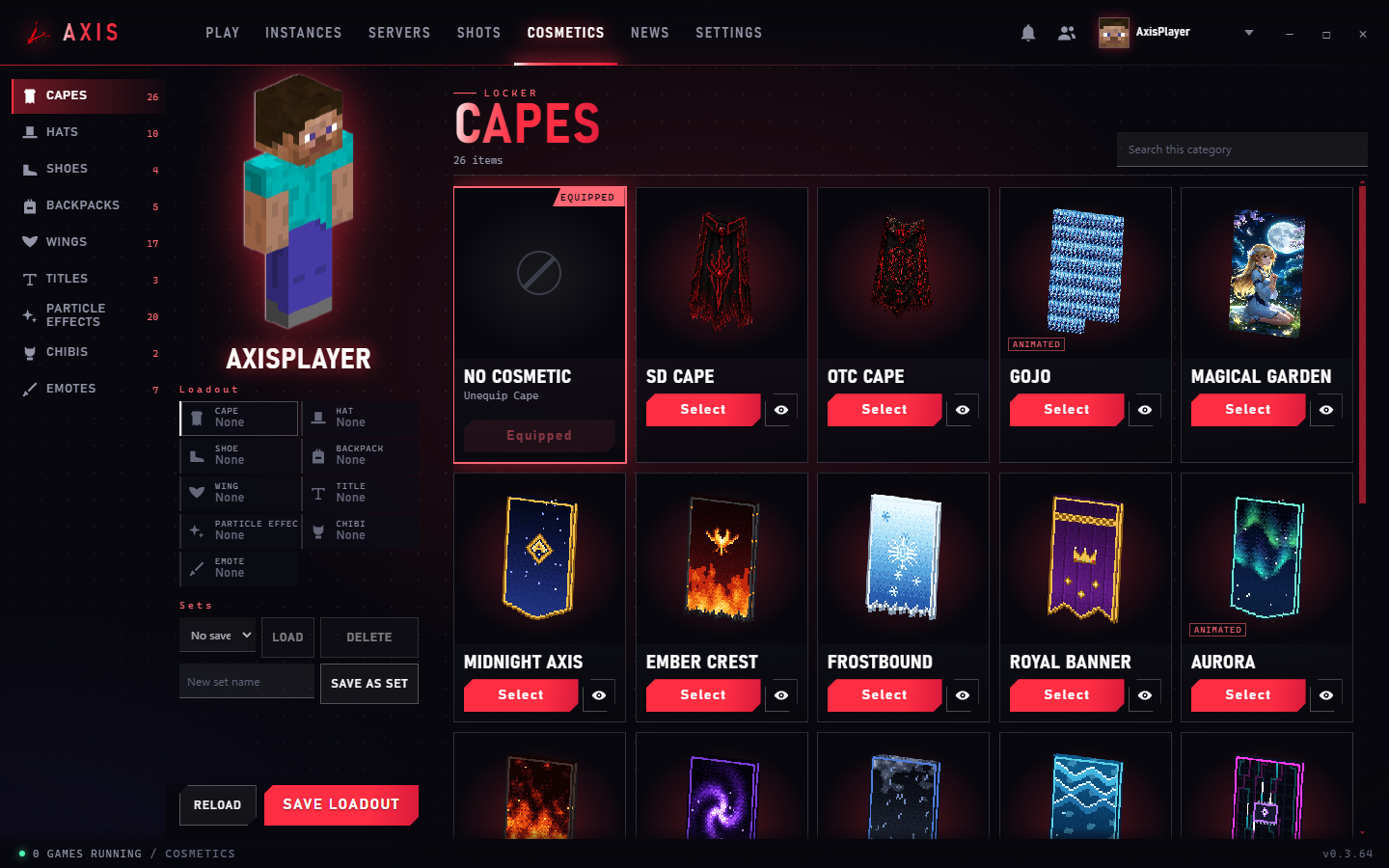
The Axis Locker showing capes and a loadout panel.
WickedPvP Wings
Void Dragon Wings
Phoenix Rebirth
Aurora
Solar Flare Wings
Neon Circuit

Change your look in-game

Open the cosmetics screen mid-session, rotate your character and try things on, no need to go back to the launcher.
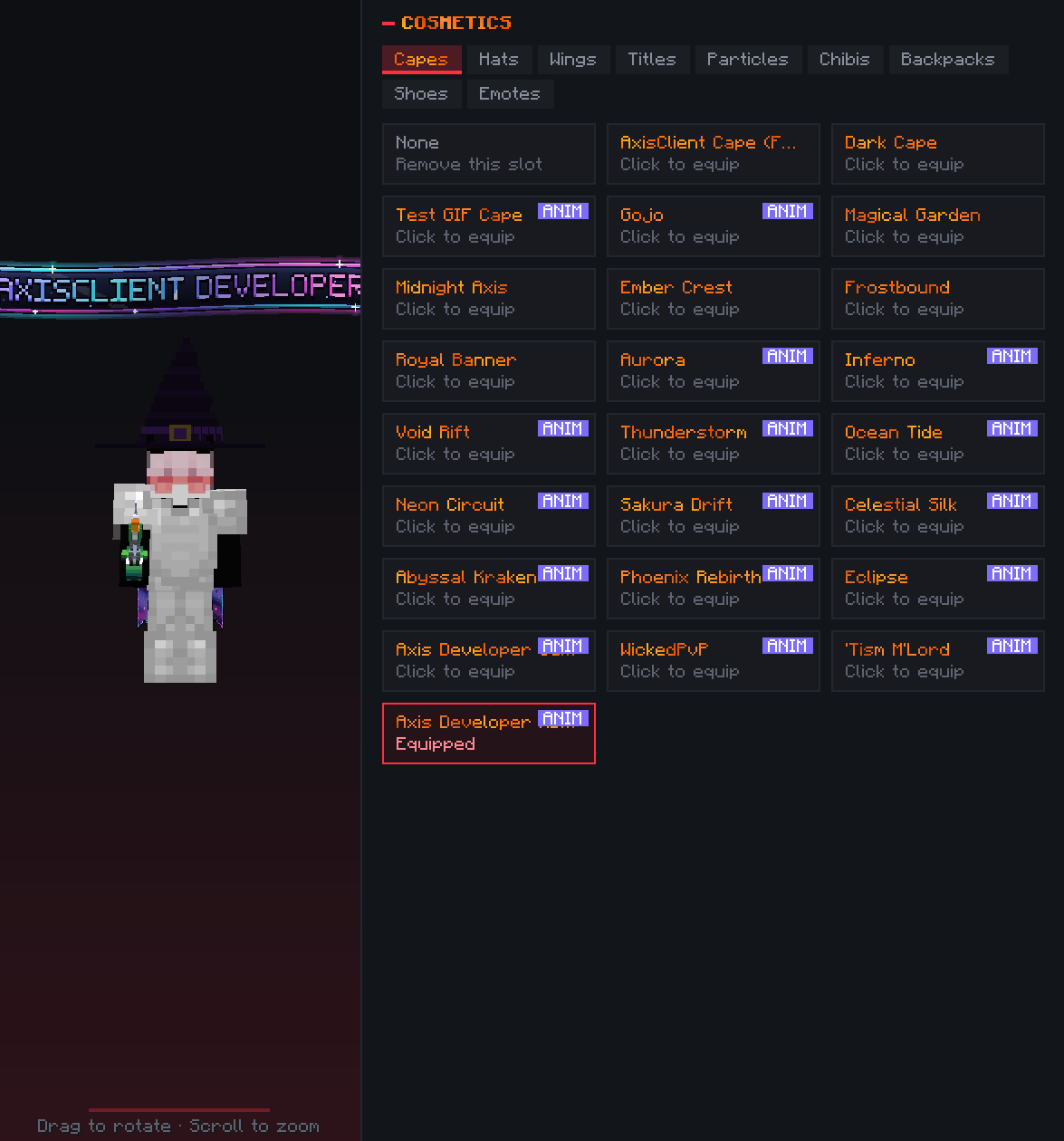
The in-game cosmetics screen with a character preview and a list of capes.

AxisLauncher

The launcher does its share.

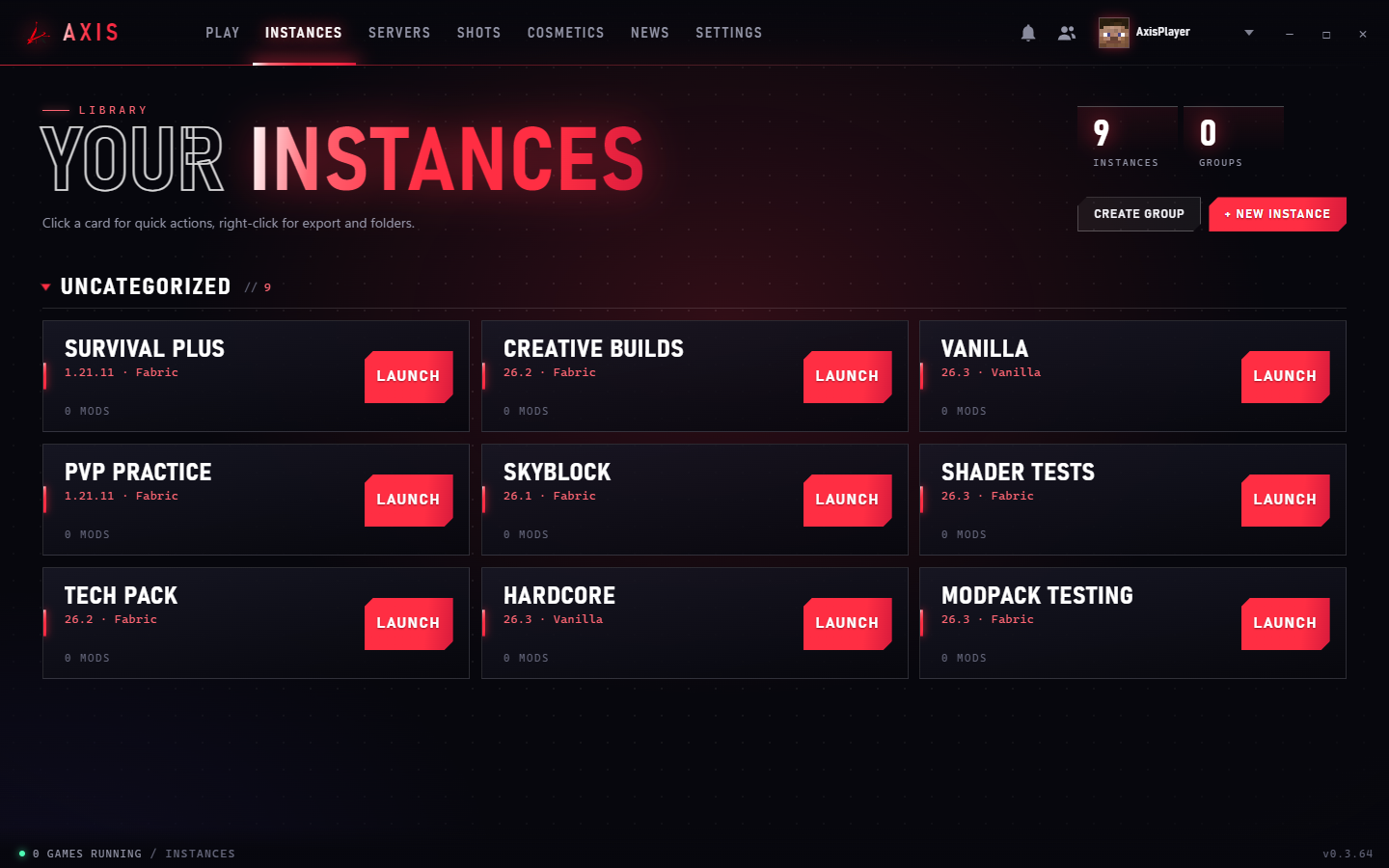
Instances without the mess

  • Separate profiles for packs, versions and testing
  • Browse and install mods from Modrinth in the app
  • Import modpacks and sort instances into groups
The instances library with instance cards and Launch buttons.

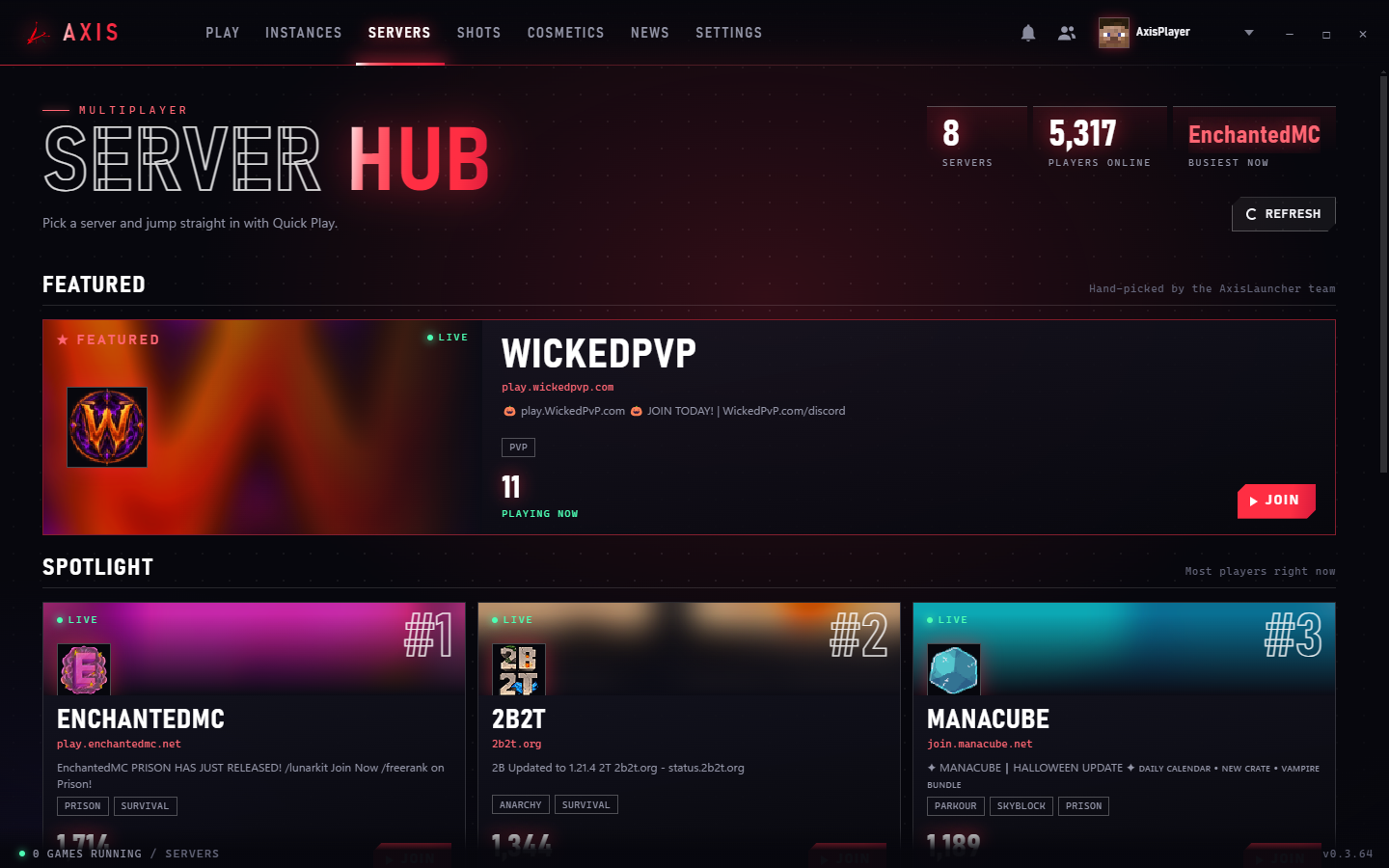
A server hub with live counts

  • See which servers are busiest right now
  • Join any server in one click
  • Keep your own list alongside the directory
The Server Hub with featured and spotlight servers and live player counts.

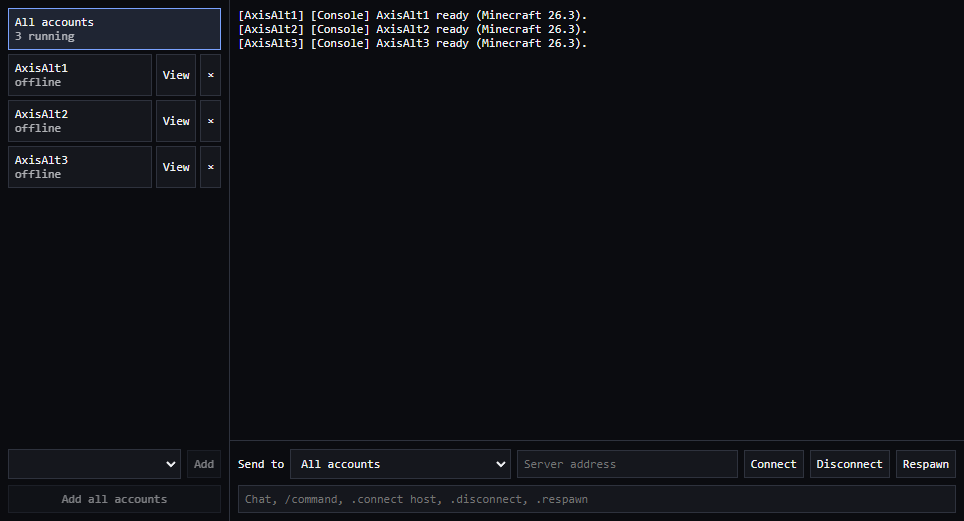
Console clients for your other accounts

  • Keep several accounts online without running the full game
  • Send chat and commands to one account or all of them
  • Accounts join in a queue, so logins don't get throttled
  • Open a view to see what an account sees
The console client window with three accounts listed, a shared log, and Connect, Disconnect and Respawn controls.

Ready when you are.

Download AxisLauncher and you're a click from playing.